Top 5 Bing Image Categories Dominating Searches
Visual content drives engagement. Whether you are a designer, blogger, or social media creator, knowing how to find the right images on Bing can save hours of research while boosting the quality of your posts.
Bing Image Search is more than a simple tool for browsing photos—it’s a window into what people are actively searching for. From trending AI-generated visuals to pop culture-inspired photography, understanding these search patterns can help you stay ahead in content creation.
In this guide, we’ll explore actionable tips for designers and bloggers to leverage Bing Image Search effectively, discover viral visuals, and maximize engagement.
1. Use Specific Keywords and Filters
The right keywords are the foundation of any successful image search. Broad searches like “AI art” or “nature photos” yield thousands of results, making it difficult to find what’s trending.
Tip: Use long-tail keywords, such as “futuristic cyberpunk cityscape at night” or “minimalist Scandinavian workspace interior.”
Filters: Narrow your search by image size, color, layout, and date to focus on relevant, high-quality visuals.
Pro Insight: Combining precise keywords with filters lets you find unique images that are more likely to engage your audience.
2. Explore AI-Generated Visuals
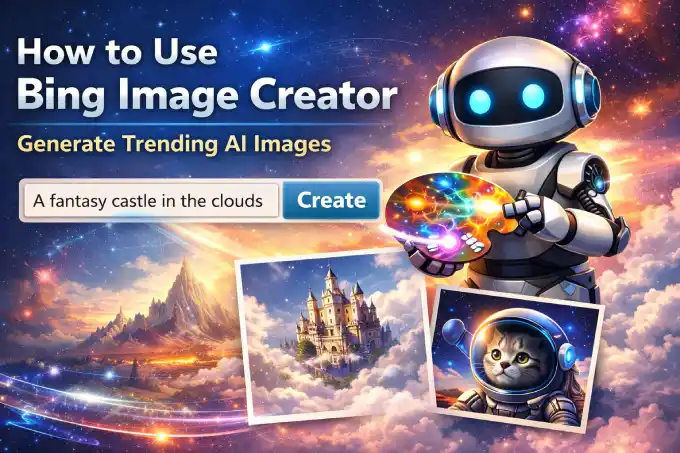
AI-generated images are dominating Bing searches. Tools like Bing Image Creator allow you to generate visuals with a few descriptive words.
Experiment with prompts: Include style, lighting, and mood.
Focus on viral AI trends: Futuristic, fantasy, or surreal images often perform best.
Save your favorite AI creations for future blog or social media content.
These AI visuals are highly shareable, making them ideal for blog headers, social media posts, or even email newsletters.
3. Monitor Trending Searches and Categories
Trending searches give insight into what audiences currently want to see:
Pop culture visuals: Movies, TV shows, celebrity portraits
Seasonal imagery: Holidays, events, or seasonal landscapes
Viral aesthetics: Minimalist, cinematic, or surreal visuals
Pro Tip: Track weekly trends to stay ahead of content cycles. The earlier you spot a trending category, the better your chances of creating shareable content.
4. Curate Images Strategically
Finding images is only part of the process. How you use them matters:
Organize visuals by category or campaign: AI art, lifestyle, pop culture
Add descriptive alt text for SEO
Pair images with engaging headlines and captions
Strategic curation improves readability, engagement, and organic traffic for your website.
5. Combine Visuals with Original Content
Don’t rely solely on trending images. Combine them with original commentary, tutorials, or creative stories:
Write blog posts analyzing a trending image style
Create tutorials showing how to generate similar AI art
Share case studies of viral visuals in your niche
This approach ensures your content is unique, engaging, and SEO-friendly, rather than just a copy of what’s already trending.
6. Experiment and Iterate
Bing Image Search trends evolve rapidly. The most successful designers and bloggers experiment regularly:
Test different keyword combinations
Explore new AI prompts
Observe which visuals get higher engagement
By iterating, you’ll discover patterns that consistently attract readers and followers.
7. Track Performance
Finally, measure the impact of your images:
Monitor page views and time spent on pages
Track social shares and engagement
Adjust your strategy based on which images perform best
Data-driven adjustments ensure your content stays relevant and maximizes traffic potential.
Mastering Bing Image Search is a powerful tool for designers and bloggers. From long-tail keyword strategies to AI-generated trends and curated visuals, the right approach can:
Increase organic traffic
Boost social media engagement
Inspire creativity and unique content
Example:
“Start exploring Bing Image Search today. Experiment with trending AI prompts and curated visuals to create content that stands out!
You should also read:
Bing Image Trends: From AI Art to Pop Culture
Visual trends on the internet are constantly evolving, and Bing Image Search has become one of the best ways to track what people are currently…
Continue reading...How to Find the Most Viral Bing Images
Have you ever wondered how certain images go viral on Bing? From AI-generated art to stunning photography, some visuals capture attention faster than others. For…
Continue reading...Top 10 Trending Bing Images This Month
Every month, Bing Image Search provides a snapshot of the visual trends that are capturing people’s attention online. From AI-generated artwork to viral photography, these…
Continue reading...